
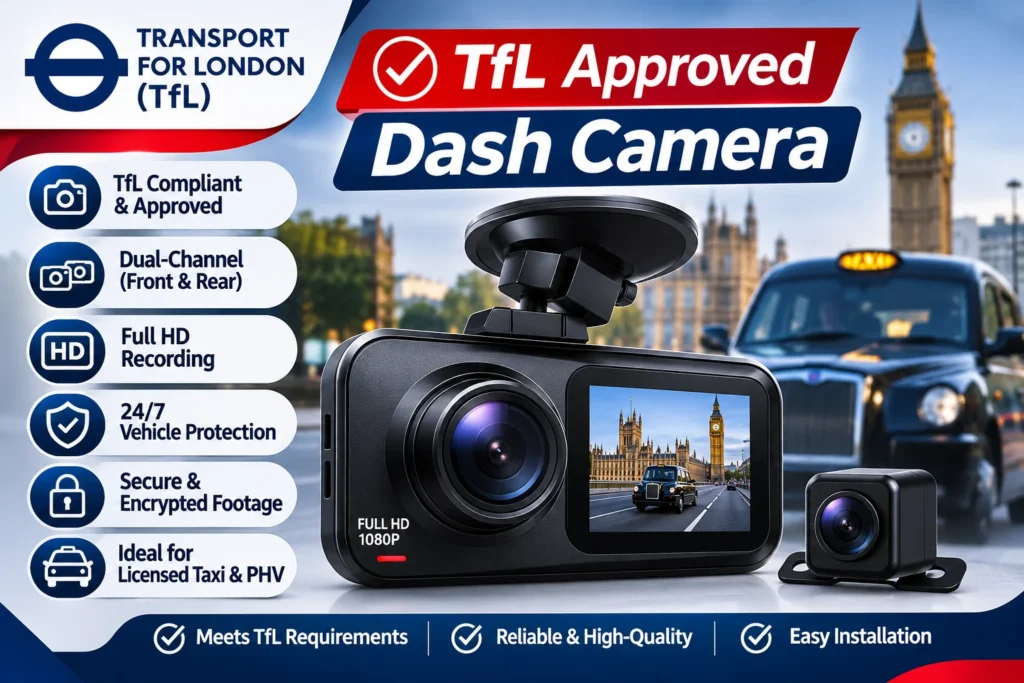
Introduction
A reliable in-vehicle camera system can help taxi and private hire drivers record important journeys and provide useful footage when an incident occurs. However, installing a camera is only the first step. Regular maintenance is necessary to keep the equipment working correctly and to identify faults before they affect recording.
A TfL Approved Dash Camera should be maintained in line with the manufacturer’s instructions and the requirements applicable to the vehicle and recording system. Drivers and vehicle operators should pay attention to camera positioning, wiring, storage, recording functions and general equipment condition.
This guide explains practical maintenance steps for taxi and private hire vehicle operators in the UK.
1. Understand Your Camera System
Before carrying out maintenance, understand which recording system is installed in your vehicle. Some systems record the road ahead, while others may include internal cameras or incident-recording functions.
TfL’s approved CCTV arrangements are not the same as a general consumer dashcam list. The applicable approved system and installation details should be checked for the vehicle and licensing category.
A TfL Approved Dash Camera or approved in-vehicle recording system may include:
- Forward-facing camera
- Internal-facing camera
- Recording unit
- Storage device
- Power supply
- Wiring and connections
- Recording indicators or controls
Keep the model information, installation details and manufacturer’s instructions available so that maintenance can be carried out correctly.
2. Clean the Camera Lens Regularly
A dirty lens can reduce image clarity and make important details difficult to identify. Dust, fingerprints, road spray and condensation may affect the quality of recorded footage.
To maintain a TfL Approved Dash Camera, clean the lens gently using a suitable microfibre cloth. Follow the manufacturer’s cleaning instructions and avoid abrasive materials or harsh chemicals.
Useful cleaning practices include:
- Check the lens before starting work.
- Remove dust and fingerprints carefully.
- Keep the windscreen area clean.
- Check for condensation or moisture.
- Avoid touching the lens unnecessarily.
If the image remains blurry after cleaning, inspect the camera for damage or arrange professional assistance.
3. Check Camera Position and Mounting
The camera should remain securely mounted in its approved or specified position. A loose mount can cause vibration, change the recording angle or affect the quality of footage.
When checking a TfL Approved Dash Camera, look for:
- Loose brackets
- Damaged mounting points
- Movement during driving
- Obstruction of the camera view
- Interference with the driver’s visibility
- Placement near airbags or other safety equipment
TfL guidance requires equipment to be installed safely and securely. It should not obstruct the driver’s view or interfere with standard vehicle safety equipment.
Do not reposition or modify an approved installation without checking the relevant requirements and manufacturer’s instructions.
4. Inspect Wiring and Power Connections
Electrical connections are essential for reliable recording. Loose plugs, damaged cables or an unreliable power supply may cause unexpected shutdowns or missing footage.
A regular inspection of a TfL Approved Dash Camera should include checking for visible cable damage, loose connections and signs of overheating.
Look for:
- Exposed wiring
- Damaged insulation
- Loose connectors
- Unusual power interruptions
- Incorrectly routed cables
- Interference with vehicle controls
Do not attempt complex electrical repairs unless qualified to do so. Wiring should remain properly routed and fused in accordance with the equipment manufacturer’s specifications.
5. Check Recording and Storage Functions
A camera can appear to be switched on while failing to save footage correctly. For this reason, drivers and operators should confirm that the system records and stores information as expected.
Check the TfL Approved Dash Camera according to the manufacturer’s approved testing procedure.
Maintenance checks may include:
- Confirming the system powers on.
- Checking recording status indicators.
- Reviewing system error messages.
- Confirming the storage device is recognised.
- Checking that recorded files can be accessed by an authorised person.
- Confirming the date and time are correct.
Do not format storage devices or delete recordings simply to clear an error without following the system’s instructions and the operator’s data-handling policy.
6. Follow Data Protection and Recording Rules
Vehicle recording systems can capture information about drivers, passengers and other road users. Operators should understand their responsibilities for handling recorded personal data.
For a TfL Approved Dash Camera system that includes CCTV or internal recording, relevant considerations may include:
- Clear and appropriate passenger information
- Approved signage where required
- Secure storage of recordings
- Restricted access to footage
- Appropriate retention arrangements
- A clear process for handling footage requests
- Proper consideration of audio recording
The Information Commissioner’s Office provides guidance on surveillance in vehicles. Audio recording requires particular care because it may capture private conversations. It should not be enabled without considering necessity, proportionality and applicable requirements.
Follow the relevant TfL guidance, data protection obligations and operator policies rather than assuming every camera has identical recording rules.
7. Keep the Camera Software and Settings Correct
Some recording systems include software, firmware or configuration settings that affect how they operate.
Incorrect settings can affect recording quality, time stamps, camera functions or storage behaviour.
When maintaining a TfL Approved Dash Camera, check the manufacturer’s instructions for:
- Firmware updates
- Time and date settings
- Recording configuration
- Camera status indicators
- Storage compatibility
- Error notifications
Do not install unofficial software or make unauthorised changes to the equipment. Any update or configuration change should preserve the approved system’s intended design and functionality.
8. Arrange Professional Inspections and Repairs
Routine checks can identify visible problems, but some faults require specialist equipment and technical knowledge.
Arrange a professional inspection if the camera repeatedly stops recording, displays persistent errors, loses power or produces unclear footage despite cleaning.
A technician can inspect the TfL Approved Dash Camera, test its connections and assess whether components need repair or replacement.
Professional support is particularly important after:
- A vehicle accident
- Damage to the windscreen
- Electrical work
- Camera removal or repositioning
- Water exposure
- Persistent recording faults
Keep records of inspections, repairs and replacement components.
9. Create a Regular Camera Maintenance Schedule
A simple maintenance schedule helps drivers and fleet operators identify problems early.
| Frequency | Suggested check |
|---|---|
| Before daily use | Check power, camera position and visible condition |
| Weekly | Review lens cleanliness and mounting security |
| Monthly | Inspect cables and check system status |
| After an incident | Check equipment for damage and preserve relevant footage |
| During scheduled servicing | Arrange a more detailed system inspection |
The exact maintenance frequency should follow the manufacturer’s instructions and any relevant operator or licensing requirements.
A written maintenance record for each TfL Approved Dash Camera can help demonstrate that equipment is being checked and looked after.
Common Maintenance Mistakes to Avoid
Even a good camera system can become unreliable if it is not maintained correctly.
Avoid these mistakes:
- Using abrasive cleaners on the lens
- Allowing cables to hang near vehicle controls
- Changing camera positions without checking approval requirements
- Ignoring system warnings
- Using unsuitable storage devices
- Deleting important footage without authorisation
- Enabling audio recording without considering privacy requirements
- Installing unofficial software or modifying the system
Consistent maintenance helps reduce avoidable faults and supports dependable operation.
Conclusion
A vehicle recording system needs regular attention to remain reliable. Cleaning the lens, checking the mount, inspecting wiring, confirming recording functions and following data protection requirements are all important parts of responsible camera maintenance.
A TfL Approved Dash Camera should be maintained according to the manufacturer’s instructions and the requirements that apply to the vehicle and approved system. Drivers should also keep maintenance records and arrange professional repairs whenever a fault cannot be safely resolved through routine checks.
By following a structured maintenance routine, taxi and private hire operators can help keep their recording equipment in suitable working condition.
Frequently Asked Questions
1. How often should I check my taxi TfL Approved Dash Camera?
Check basic operation and visible condition before regular use. Carry out more detailed inspections according to the manufacturer’s instructions and your operator’s maintenance schedule.
2. How do I clean a vehicle TfL Approved Dash Camera lens?
Use a clean microfibre cloth and follow the manufacturer’s cleaning instructions. Avoid abrasive materials and harsh chemicals.
3. What should I do if my camera stops recording?
Check the power supply and system indicators. If the problem continues, contact a qualified installer or the equipment supplier.
4. Can I move my TfL Approved Dash Camera to another position?
Do not move or modify the installation without checking the applicable requirements and manufacturer’s instructions. Camera position can be part of the approved installation arrangement.
5. Should I check the camera’s storage device?
Yes. Follow the manufacturer’s procedure to confirm that the storage device is recognised and recordings are being saved correctly.
6. Can a taxi camera record audio?
Audio recording is subject to privacy and data protection considerations. It should not be assumed that continuous audio recording is permitted or appropriate.
7. Do I need to keep records of camera maintenance?
Keeping records of inspections, repairs and relevant servicing is good practice and can help demonstrate that the system is being maintained.
8. Can I repair a damaged taxi camera myself?
Simple external cleaning may be suitable, but electrical repairs, system modifications and installation work should be handled by a qualified professional where required.